
WebMagic is a flexible and easy to use Java crawler framework , widely used in data collection and information crawling . In practice, setting proxy IP can help crawlers bypass IP restrictions and improve the efficiency and success rate of data crawling. In this article, we will introduce how to set proxy IP in WebMagic.
Why use proxy IPs in WebMagic?
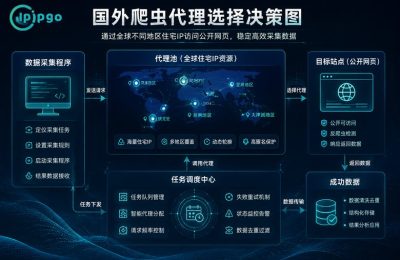
When crawling large-scale data, the target website often restricts or blocks frequently visited IPs. Using a proxy IP can effectively bypass these restrictions, which is like putting a "cloak of invisibility" on your crawler, allowing it to travel freely in the network.
In addition, proxy IPs can improve the stability and speed of the crawler, especially when crawling data from multiple websites, which can significantly improve efficiency.
How to Set Proxy IP in WebMagic
Setting up a proxy IP in WebMagic is very easy, here are the steps:
1. Introducing dependencies: Make sure you have introduced the relevant dependencies for WebMagic in your project. The WebMagic library can be added in Maven or Gradle.
2. Creating Proxy Objects: Using WebMagic'sProxyclass to create the proxy object. You need to provide the IP address and port number of the proxy server. Example:
Proxy proxy = new Proxy("your-proxy-ip", yourProxyPort);
3. Configuring the Agent: In the creation of theSpiderobject when adding the proxy object to the crawler's configuration. The proxy object can be added to the crawler's configuration via thesetProxyProvidermethod to set the proxy. Example:
Spider.create(new YourPageProcessor())
.setProxyProvider(SimpleProxyProvider.from(proxy))
.addUrl("http://example.com")
.run();
With the above steps, you can successfully configure proxy IP in WebMagic to make your crawler more unobstructed in the network.
Proxy IP Configuration Considerations
There are some considerations to keep in mind when using a proxy IP:
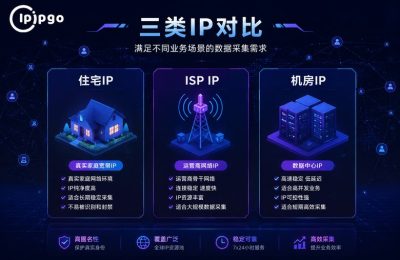
– Proxy IP quality: Ensure that you use high quality proxy IPs so as not to affect the efficiency and success of the crawler. Choose a stable and fast proxy server.
– Proxy IP legitimacy: When using proxy IPs, make sure you follow the relevant laws and regulations and do not perform illegal data capture.
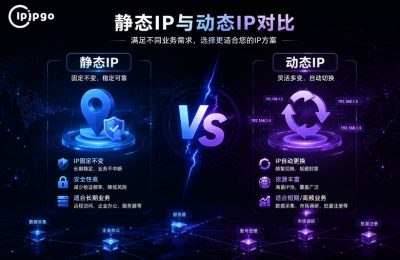
– Dynamic IP switching: If you need to crawl data on a large scale, it is recommended to use a dynamic proxy IP to avoid a single IP being blocked.
Frequently Asked Questions and Solutions
When configuring proxy IPs, you may encounter some common problems. Here are some solutions:
– Connection timeout: Check that the proxy IP and port are correct and make sure the proxy server is available.
– Failed data capture: Confirm whether the target website has restricted proxy IPs, try to change proxy IPs or use a different crawling strategy.
summarize
Setting proxy IP in WebMagic is an important means to improve the efficiency and success rate of crawlers. With the guidance in this article, I believe you have mastered the skill of configuring proxy IP in WebMagic.
Hopefully, this information will help you better utilize WebMagic for data crawling and efficient data collection. If you encounter problems, try a few more times or seek community support - after all, the process of solving problems is part of improving your skills.






 English
  简体中文
简体中文  Español
  Deutsch
  Français