A lot of people in the use of proxy IP is too much trouble to download the client, APP, so there is no way to use it without downloading? The answer is yes, the following is introduced to youHow to use the browser plug-in proxyThe
To install a proxy, you need to have "proxy address and port information", take IPIPGO as an example, find the top of the homepage of IPIPGO website.Withdrawal Agent", tap in and select "Account Secret Authentication Withdrawal Usage"(This is more friendly to newbies, no need to toss complicated settings). Then according to their own needs to choose the type of proxy, specify the region, such as want to connect to the United States IP on the United States, want to connect to Japan on the Japan, just pick as needed.
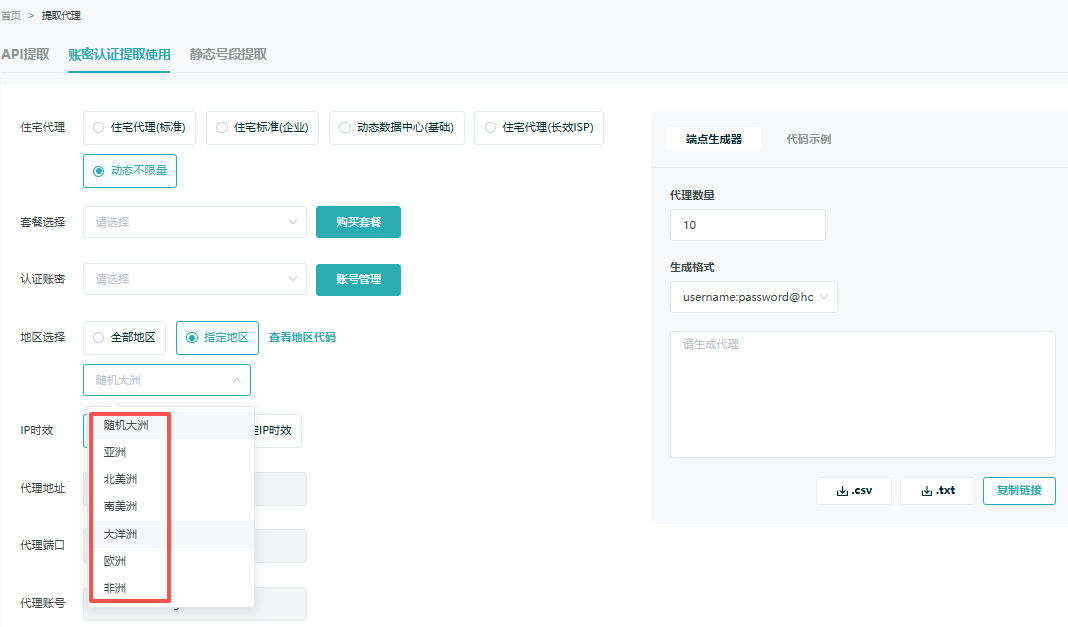
Finally tap the bottom right corner of the page on the "Copy link" button to see the "Proxy address, port, account number, password"These are the four key pieces of information now - write them down! Or don't close this page, you'll have to fill it out later.
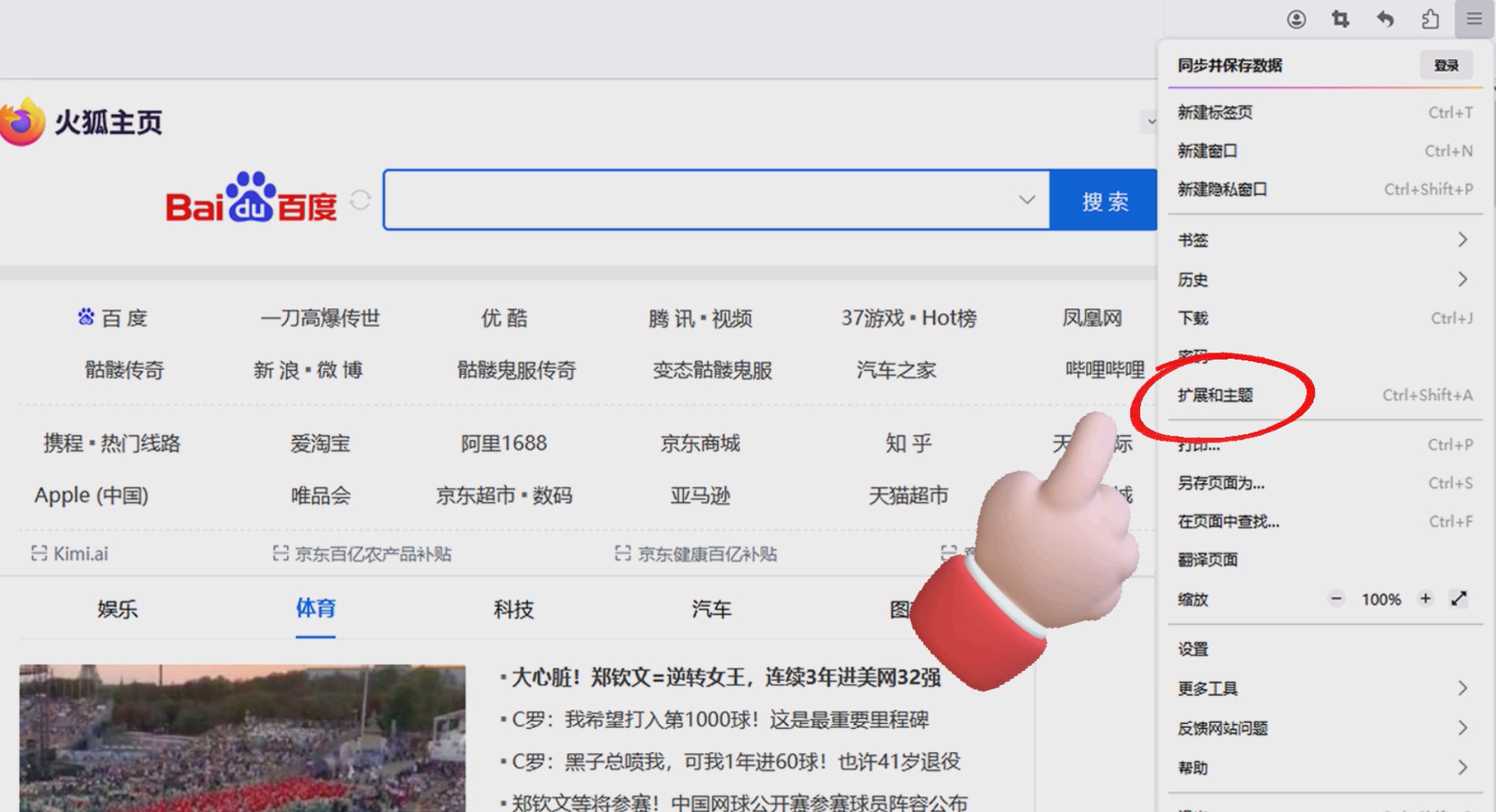
With the proxy information, the next step is to get the browser to use the proxy, and I'll use Firefox as an example here. The core is to install aProxy PluginOpen Firefox and click on the top right corner of the "Application Menu". In the pop-up menu, find "Extensions and Themes" button and tap in.
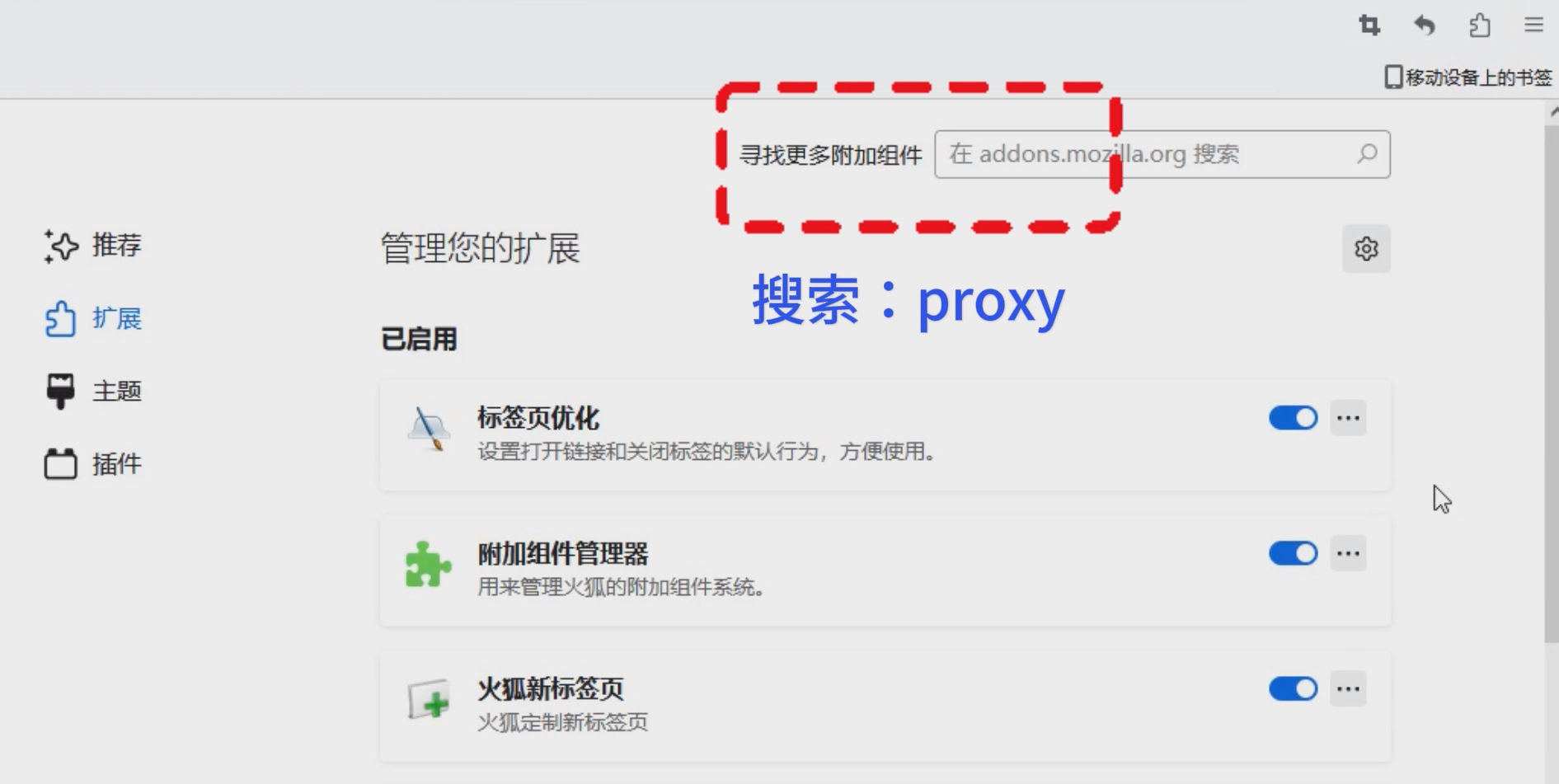
When you go to the extensions page, there is a "Expanded Search Box", type "proxy" and press enter to search.
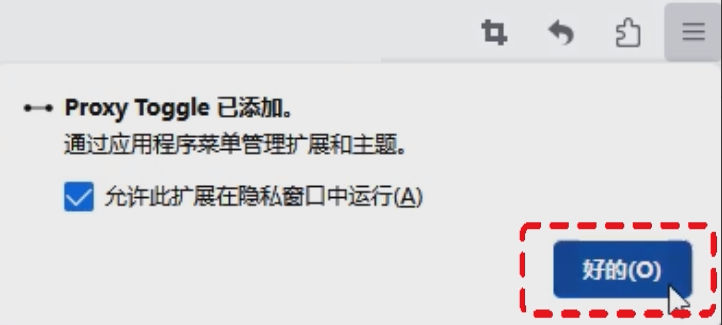
There will be a lot of proxy plug-ins in the search results, don't be choosy, just pick a simple one, click its icon or name to enter, and then click the confirmation box that pops up.increase", after loading it will pop up a small window, remember to check the "Allow this extension to run in a private window" (so that private windows can also use proxies, more convenient), and then tap "desirable", by this step the plugin is installed.
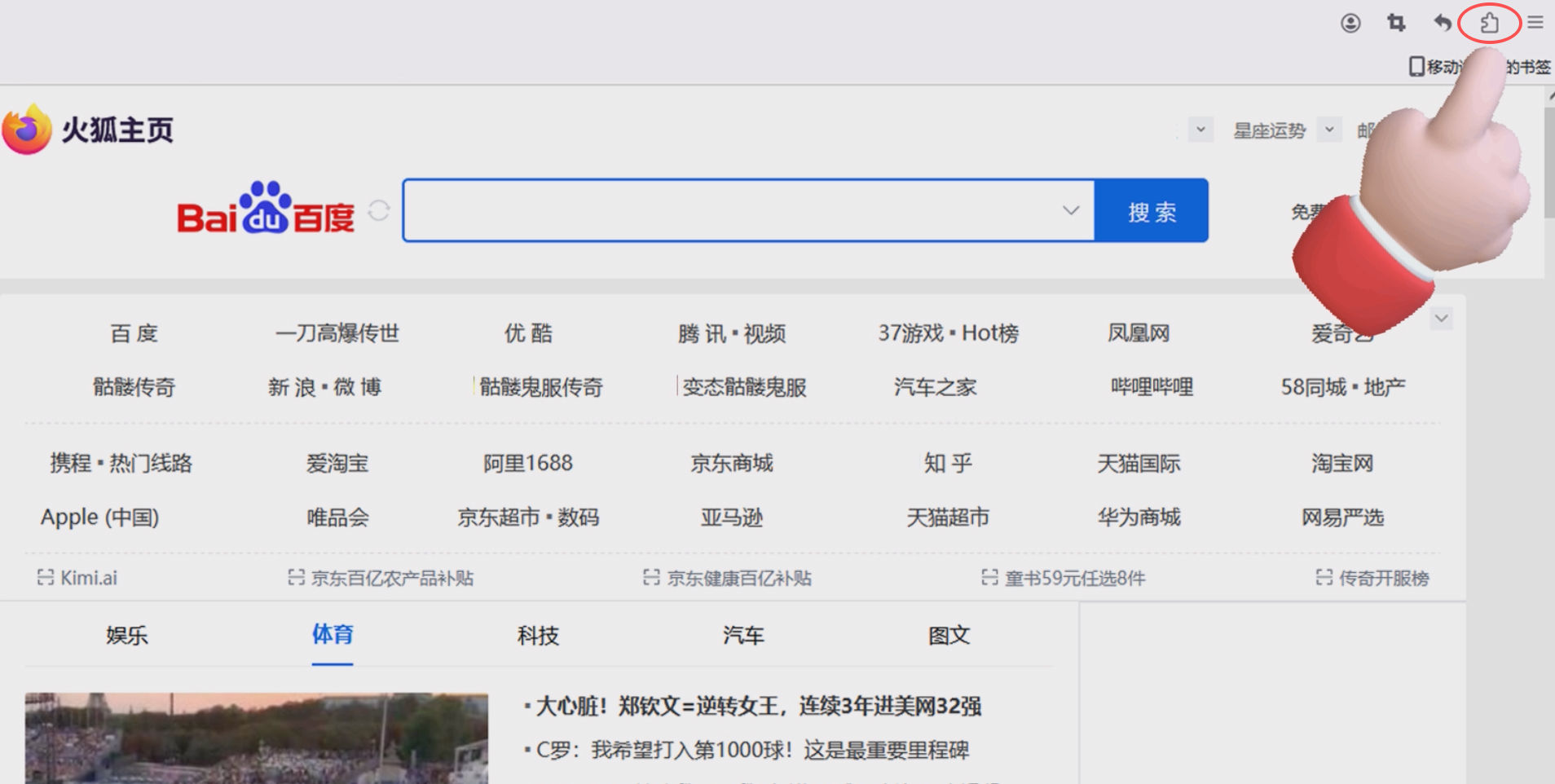
Next, fill in the information you just got from IPIPGO, otherwise the plugin won't know which proxy to use. Go back to the Firefox browser page, tap the top right corner of the "Expansion Buttons" (that's the puzzle piece icon that shows up after you load the plugin).
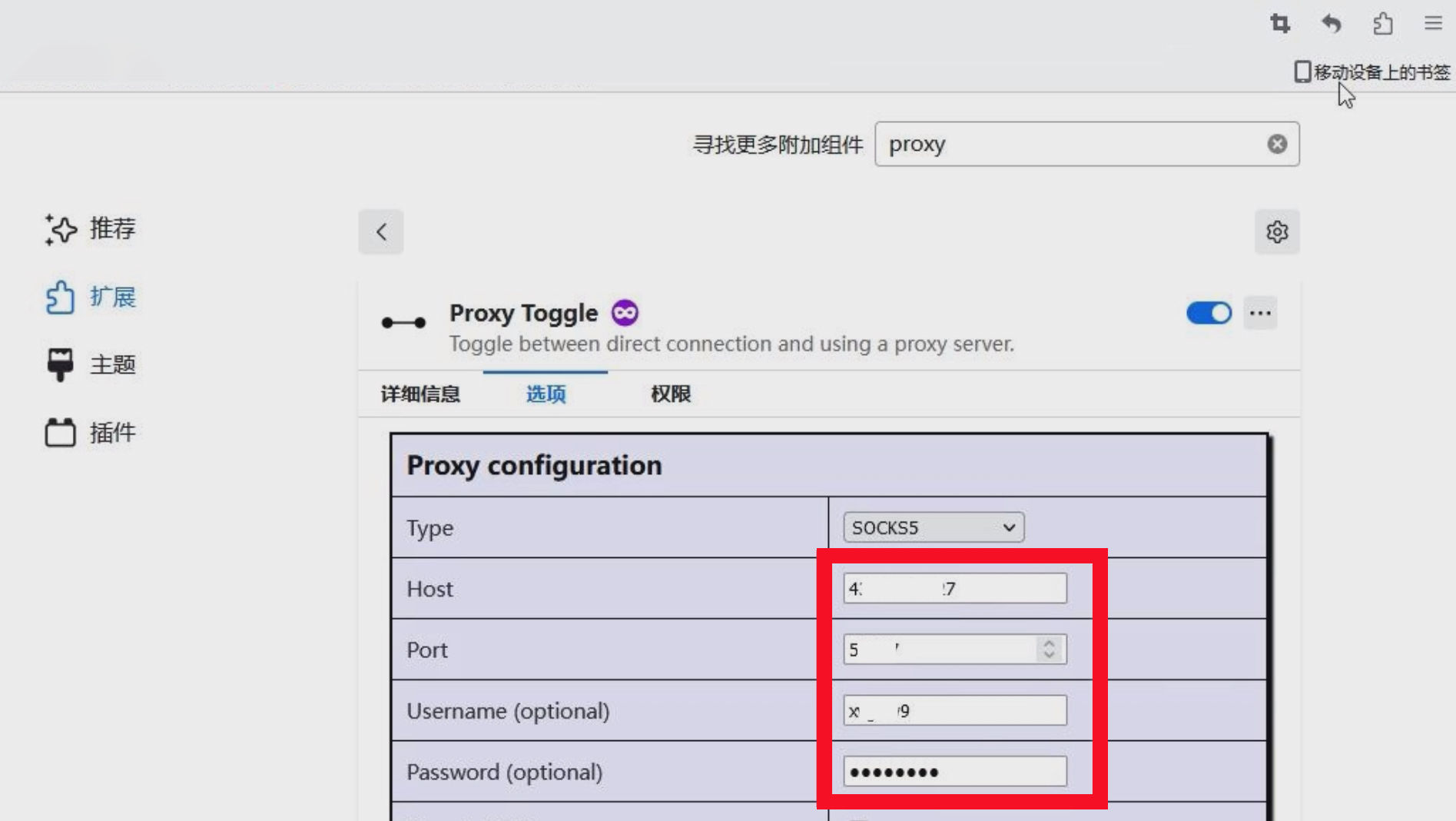
In the list of extensions that pops up, find the plugin you just installed and tap the "Setup Buttons" in IPIPGO.Proxy address, port, account number, password"Just fill in the blanks accordingly.
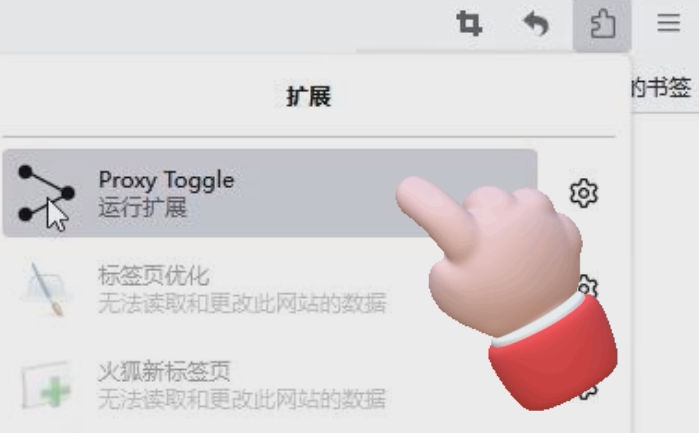
Finally tap the top right corner of the "Extended Applications"icon with a single click to "Running Extensions" up, the plugin icon will light up after running to indicate that it is working.
After configuring the proxy, you have to make sure that the proxy is really working, keep the proxy plugin running, and search in Firefox for "ip address", take a look at the currentIP address and attributionIf it is consistent with the country you selected in IPIPGO, for example, if you selected the United States, it will show the United States IP, then it is successful. If it is not consistent, go back and check if the proxy information is filled in wrongly and if the plug-in is running.
If you are using other browsers to set up a proxy, the operation is basically similar, if you do not know how to set up, you can leave a message to exchange.









 English
  简体中文
简体中文  Español
  Deutsch
  Français